
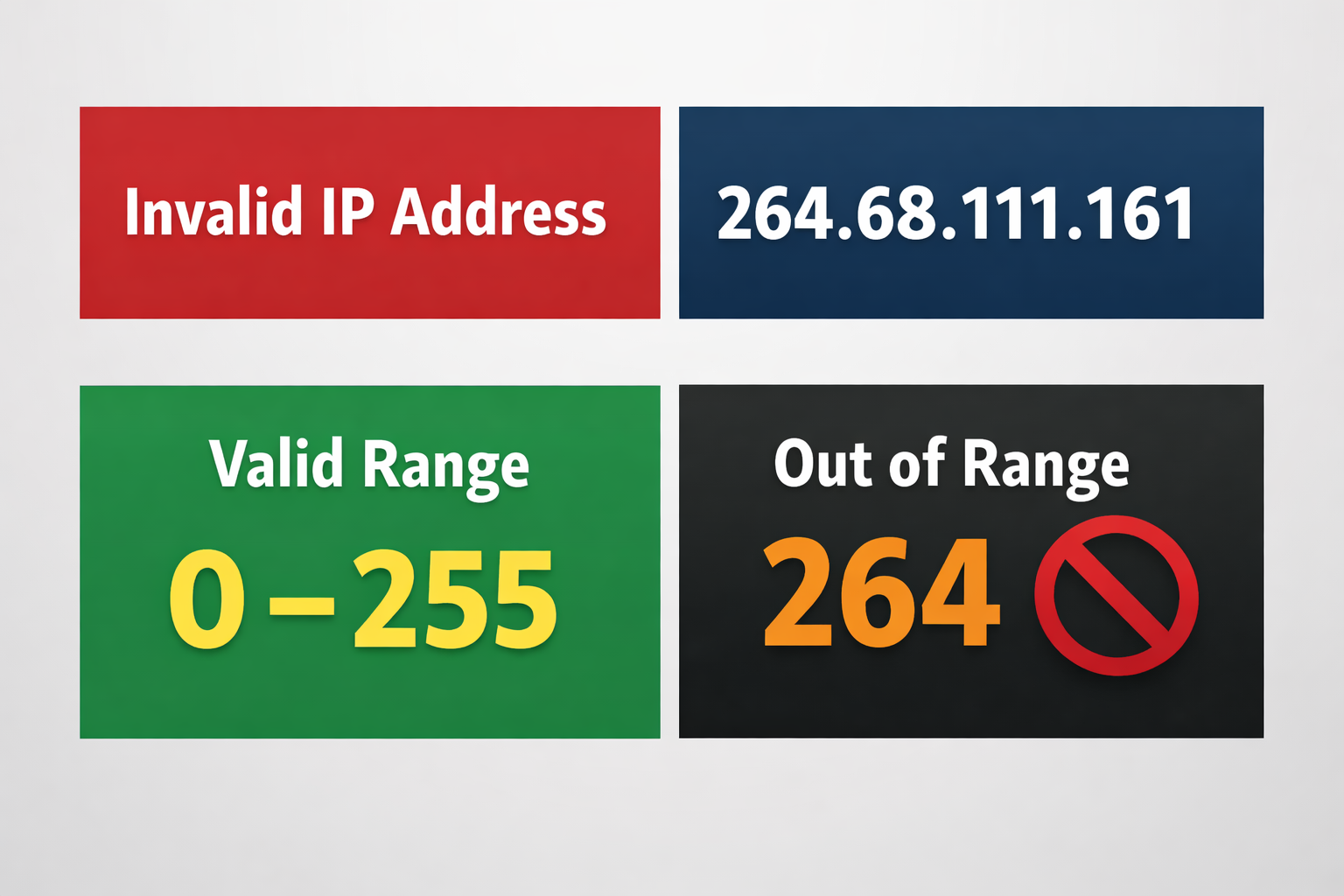
At first glance, 264.68.111.161 looks like any other IPv4 address. It has four numbers separated by dots, the familiar pattern most of us have typed into a browser bar or a router setting at some point. Yet it quietly breaks one of the most basic rules of internet addressing. That small mistake is enough to make it unusable in real networks, and understanding why reveals a lot about how the internet actually moves data from one place to another.
This isn’t a theoretical issue. Addresses like 264.68.111.161 appear in logs, configuration files, error messages, and sometimes in tutorials copied from one site to another. Knowing what’s wrong with it saves time, prevents misconfigurations, and helps you spot problems before they turn into outages.
Understanding IPv4 Addresses in Plain Terms
An IPv4 address is a 32-bit number written in a human-friendly format: four decimal numbers separated by dots. Each of those numbers is called an octet.
Every octet represents eight bits, which means its value can range from 0 to 255. No more, no less. This limit isn’t arbitrary. It comes directly from how many different values eight bits can hold.
So a valid IPv4 address looks like this:
- 192.168.1.1
- 8.8.8.8
- 203.0.113.45
Each part sits comfortably between 0 and 255. The structure is simple, but it’s strict. The moment one octet steps outside that range, the whole address stops being valid.
That’s the core issue with 264.68.111.161. The first number, 264, is already beyond the maximum allowed value.
Why 264.68.111.161 Is Not a Valid IPv4 Address
The problem with 264.68.111.161 is right there at the beginning. In IPv4, no octet can be greater than 255. The number 264 simply cannot be represented in eight bits.
Think of it like trying to write “12” on a single-digit display. The format might look familiar, but the hardware can’t show it. IPv4 works the same way. Each octet has a hard ceiling, and once you cross it, the address becomes meaningless to the network stack.
Operating systems, routers, and programming libraries usually catch this. If you try to ping 264.68.111.161 or put it into a configuration file, you’ll often get an error like “invalid argument” or “bad address.” Some tools fail silently, which can be even more confusing during troubleshooting.
It’s also worth noting that the other three octets—68, 111, and 161—are perfectly fine on their own. The address fails because of a single number, not because the whole pattern is wrong.
How Systems Typically React to 264.68.111.161
Different systems handle invalid addresses in slightly different ways, but the outcome is the same: 264.68.111.161 won’t be used to send real traffic.
- Command-line tools often refuse to run the command at all.
- Configuration parsers may reject the file or skip the line.
- Some applications accept the text but fail later when they try to open a connection.
This can lead to subtle bugs. A service might start, but a specific feature that relies on that address never works. Logs then become your best friend, and spotting an out-of-range octet is usually the key to solving the puzzle.
In production environments, these small mistakes matter. A single invalid address in a firewall rule or a monitoring check can create blind spots that are hard to notice until something breaks.
The Math Behind the 0–255 Limit
It helps to see where the limit comes from, even if you’re not into binary.
IPv4 uses 32 bits in total, split into four groups of eight bits. Each group of eight bits can represent 2⁸ different values, which is 256 possibilities. Because counting starts at zero, those values run from 0 to 255.
So:
- 0 is 00000000 in binary
- 255 is 11111111 in binary
There is no way, within eight bits, to represent 256 or 264. You’d need a ninth bit. IPv4 doesn’t have room for that, so the format simply doesn’t allow it.
This is why the rules are so strict and why addresses like 264.68.111.161 are rejected everywhere that follows the standard.
Common Ways Invalid Addresses Appear
You might wonder how something like 264.68.111.161 shows up at all. In practice, there are a few common reasons.
Typing and Copy-Paste Errors
The most boring explanation is often the right one. Someone meant to type 264.68.111.16 or 26.4.68.111 and an extra digit slipped in. When addresses are copied between documents, small formatting mistakes can sneak through.
Misunderstanding Number Ranges
Not everyone memorizes the 0–255 rule. People new to networking sometimes assume any three-digit number is fine. It looks reasonable, so it must be valid. Unfortunately, computers don’t share that assumption.
Placeholder or Fake Data
In examples, tutorials, or test data, authors sometimes invent addresses to avoid using real ones. If they don’t stick to the IPv4 rules, they can accidentally create something like 264.68.111.161, which then gets copied into real configurations by readers who assume it’s safe.
Broken Data Sources
Logs, exports, or API responses can occasionally contain corrupted values. If a field that should hold an IP address isn’t validated properly, an out-of-range number can slip through and cause trouble later.
Why Validation Matters in Real Systems
Good software doesn’t trust input blindly. It checks whether an address is well-formed before trying to use it. This isn’t just about being neat. It’s about reliability and security.
An invalid address can:
- Break a deployment pipeline.
- Cause a monitoring check to silently fail.
- Make a firewall rule useless without anyone noticing.
In worse cases, poor validation can open the door to bugs that are hard to reproduce. A system might behave differently depending on how it handles that one bad value.
That’s why most mature libraries include IP address parsers that enforce the rules strictly. If 264.68.111.161 shows up, they stop and complain, which is exactly what you want.
IPv4, IPv6, and Why This Still Comes Up
With IPv6 around, you might expect IPv4 mistakes to matter less. In reality, IPv4 is still everywhere: home networks, corporate environments, embedded devices, and legacy systems.
IPv6 addresses look very different. They use hexadecimal numbers and colons, and their range rules are not the same. An address like 264.68.111.161 doesn’t even resemble IPv6, so it’s clearly meant to be IPv4.
The transition period we’re in means many systems support both. That makes validation even more important. You want to be sure which format you’re dealing with and whether the value actually fits that format.
Practical Ways to Check an IP Address
You don’t need fancy tools to spot a problem like this, but having a routine helps.
Quick Mental Check
Look at each octet. If any number is below 0 or above 255, the address is invalid. In 264.68.111.161, the first octet fails immediately.
Use Built-In Tools
Most operating systems have commands or utilities that validate addresses. Trying to ping or configure the address often triggers an error that points you in the right direction.
Rely on Libraries in Code
If you’re writing software, don’t roll your own parser unless you really have to. Standard libraries for most languages already know the IPv4 rules and handle edge cases correctly.
Validate at the Edges
The best place to catch bad data is when it enters your system. If a user, file, or API provides an address, check it there. It’s much easier than hunting down a failure later.
Real-World Consequences of Getting It Wrong
It’s tempting to think an invalid address is a minor issue. In small setups, it usually is. In larger environments, it can be surprisingly costly.
Imagine a monitoring system that’s supposed to check a critical server, but the IP is mistyped as 264.68.111.161. The check never runs. Everything looks green until the server actually goes down and no alert is sent.
Or consider a firewall rule that blocks a malicious host, except the address is invalid. The rule loads without effect, and the traffic keeps flowing.
These aren’t dramatic failures, but they’re the kind that slip through reviews and show up at the worst possible time.
How to Think About “Almost Valid” Addresses
Addresses like 264.68.111.161 are interesting because they’re close to being right. Three out of four octets are fine. The format looks correct. Only one number is off.
That’s exactly why they’re dangerous. They don’t stand out the way something like “999.abc.1.1” does. They blend in, especially in long lists of configuration values.
A good habit is to treat every address as guilty until proven valid. Let tools check them. Let scripts fail fast. It’s not about being paranoid; it’s about being precise.
What a Corrected Version Might Look Like
If someone intended to write a real IPv4 address, there are many valid possibilities near this one:
- 264 could become 264 is not possible, but 264 → 264 is invalid, so maybe 264 was meant to be 264? More likely 264 → 264 is a typo for 264? A realistic fix might be 264 → 264? The nearest valid values are 255 or 254.
- 254.68.111.161 would be valid.
- 264.68.111.16 might have been meant, moving the last digit.
The point isn’t to guess the right one. It’s to recognize that 264.68.111.161 itself can’t work and needs human attention before it goes anywhere near a live system.
Why This Still Trips Up Experienced People
Even seasoned engineers make small mistakes. When you’re scanning dozens of IP addresses in a config file, your brain starts to see patterns instead of numbers. 264.68.111.161 looks “about right,” so it passes a quick glance.
This is why automation and validation are part of professional workflows. They catch what tired eyes miss. Experience isn’t about never making these mistakes. It’s about building systems that don’t let them cause damage.
FAQ
Is 264.68.111.161 a real IP address?
No. The first octet, 264, is outside the allowed range of 0 to 255 for IPv4. Because of that, the address is invalid and can’t be used on real networks.
Why can’t an IPv4 octet be greater than 255?
Each octet is stored in eight bits, which can only represent 256 values, from 0 to 255. Anything higher simply doesn’t fit in the format IPv4 uses.
What happens if I try to use 264.68.111.161 in a configuration?
Most systems will reject it with an error. Some might accept the text but fail later when they try to use it, which can make troubleshooting more confusing.
Could this be an IPv6 address instead?
No. IPv6 uses a completely different format with hexadecimal numbers and colons. 264.68.111.161 clearly follows the IPv4 pattern, just with an invalid value.
How can I quickly check if an IP address is valid?
Look at each of the four numbers and make sure they’re between 0 and 255. If any part is outside that range, the address isn’t valid IPv4.
